Approach
The house on one dashboard
Everything in the house that calls itself smart came with its own app. The lamps, the heating, the speakers, the tv, the cameras, the doorbell, the lock, the energy meter, the car. Over the years I have looked a few times at ways to bring that together. The promise those platforms make is that you can connect things: you come home, it is dark, the curtains close, the lights come on, the music starts playing. In practice I found I had little need for that. What I wanted was simpler. Not ten apps for one house, but one place where I can see how the house is doing and do the few things I do every day.
I tried several of them: Apple Home, Google Assistant, Homey and Home Assistant. Most of them were still a lot of work to organise, and the tools for it were clumsy. So I did what you can do: I organised each app as well as I could, so that each one was as easy to use as it would get. And I used Google Assistant to use them with voice. Ten well-organised apps are still ten apps.
Then there is the ecosystem. Most of these systems are built around their own, and you get pushed in a direction. That has advantages, and it has parts that do not do exactly what you want, or do not work the way you want, or are expensive. And sometimes they would simply stop working because someone decided they did not fit the ecosystem anymore.
The idea of an open system, where I can attach things loosely and combine high-end components with cheap ones, whatever happens to suit the purpose, appealed to me. And where I decide what fits, not the owner of the ecosystem.
So I tried Home Assistant once more, this time with AI. It turned out to be a different thing altogether. Instead of spending my time on technical work, I could spend it on how I want things to work and how I want them to look. The configuration, the code behind a card, the checking whether everything still works after a change: that went to the AI. I describe, I look, I say what is wrong, and the next version is there.
At first I connected everything that could be connected, to see what was possible. In the end I disconnected perhaps more than half of it again. It only matters to me that the functions I use are there; everything else is noise on the screen and load on the system. Along the way I also replaced components that turned out to have limitations that could not be solved by connecting them to an open platform. The Google doorbell made way for Reolink, the Google wifi for UniFi; the Eufy cameras are next to be replaced. Many others, Hue, Tado, the P1 energy meter, the Gree air conditioners, the Innr smart plugs, the Aqara sensors and even my e-bike and car work fine in an open environment and I am still happy with them.
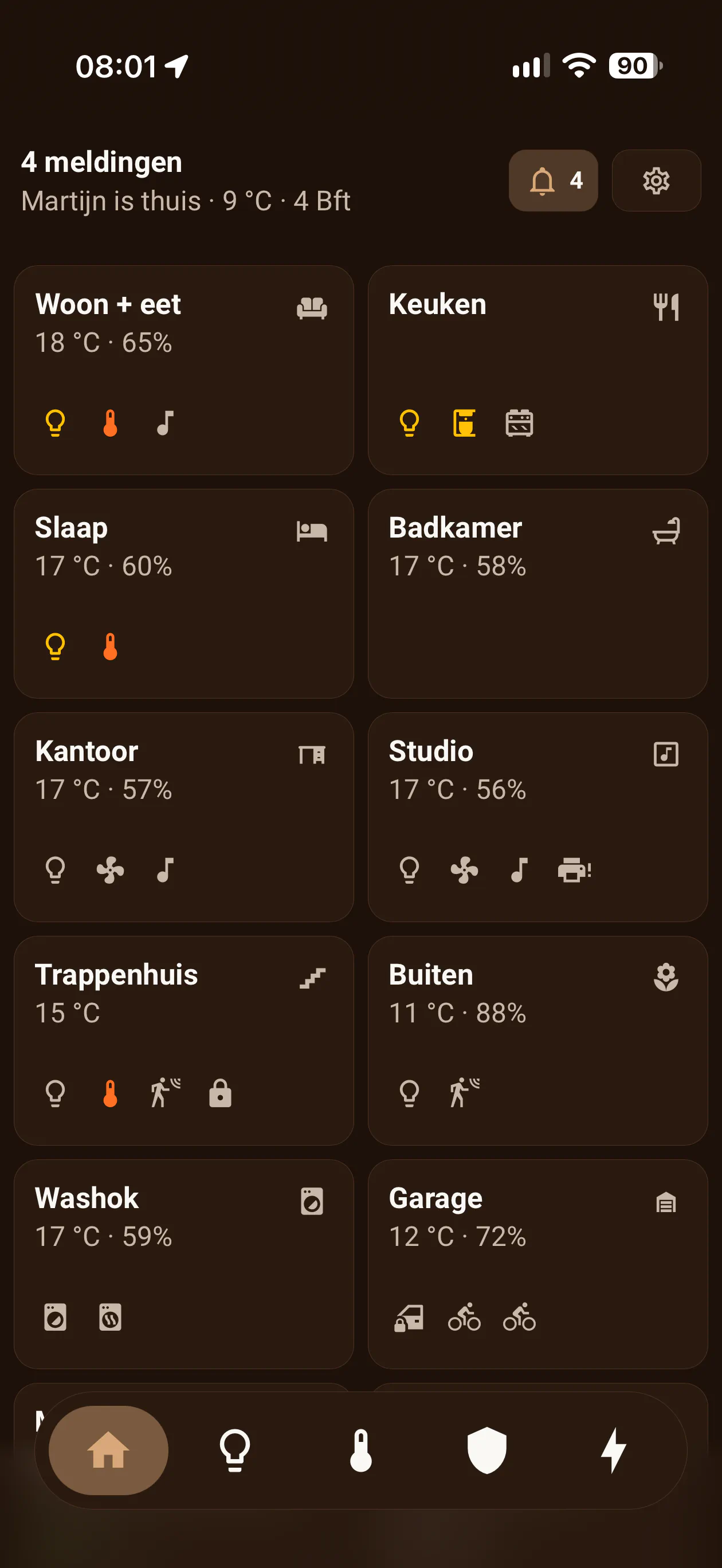
The house now runs on Home Assistant, on a small virtual machine on the NAS. The screen we use is one dashboard on the phone, with five tabs: home, lights, climate, security, energy. The home tab shows a tile per room with the temperature and a few small signs, a lamp that is on, the coffee machine, the door that is locked. Tap a room and you get everything that room can do. A bell in the corner counts what needs attention. It went through several iterations before I had it the way I like it.
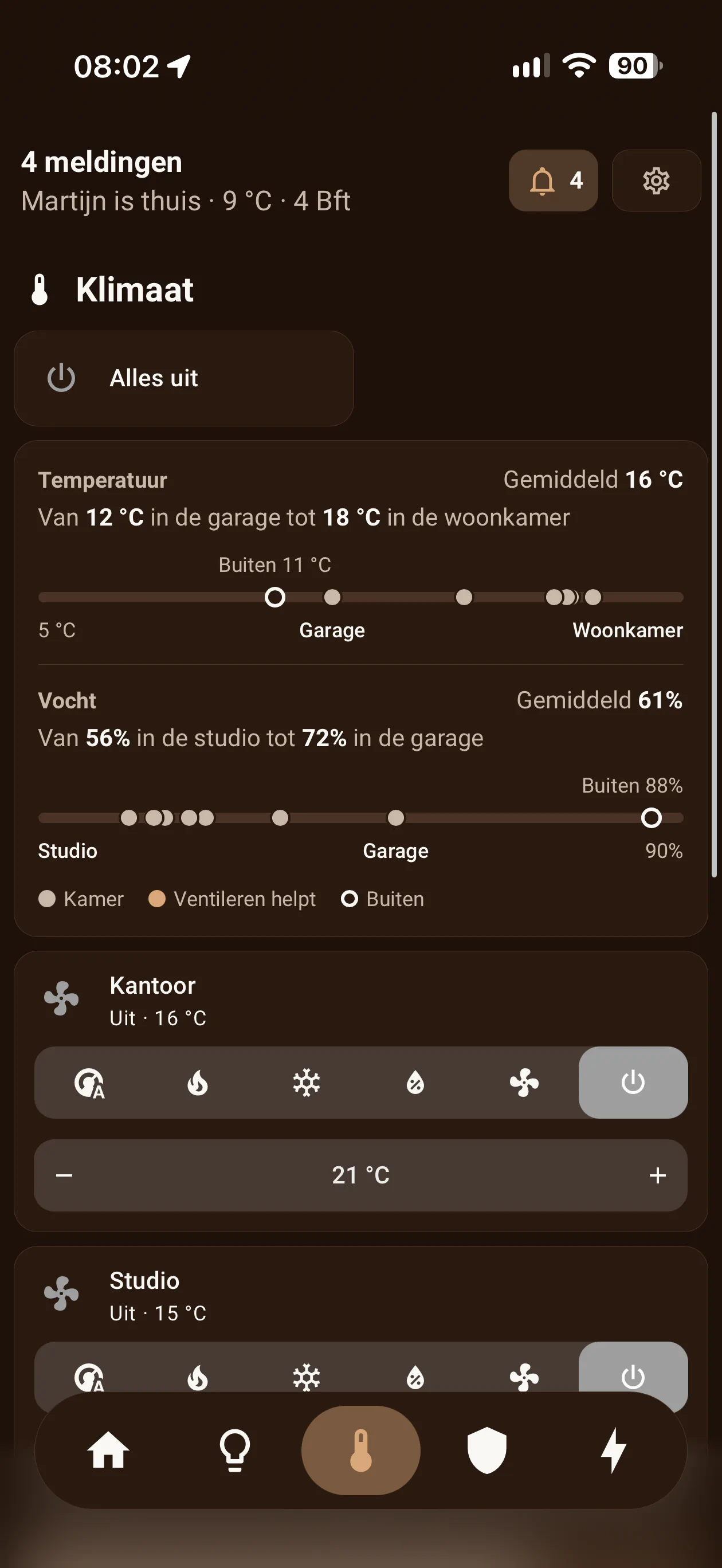
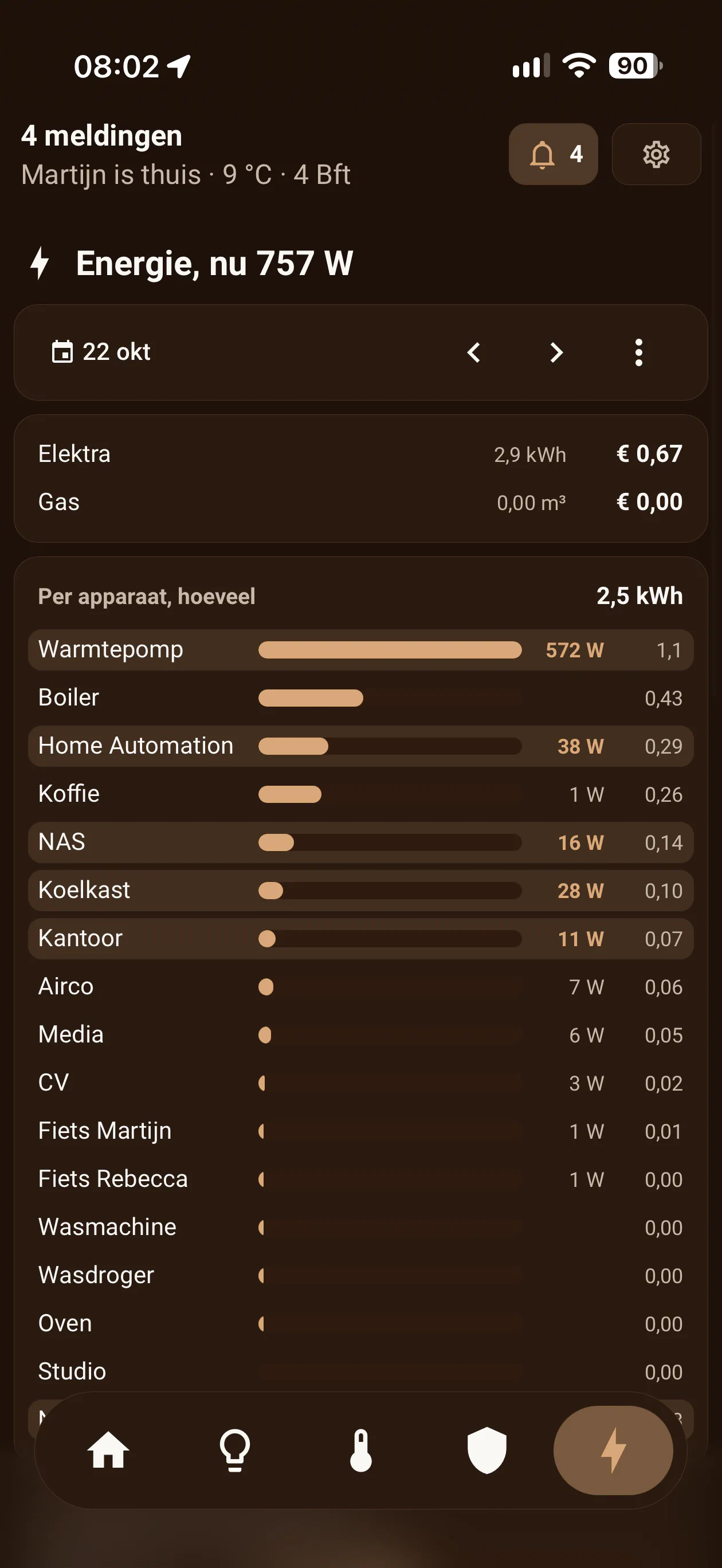
And it does things no single app did. Each room gets a ventilation advice, based on the humidity inside compared with the air outside, so a damp room on a damp day is left alone. The smart plugs measure everything, so I can see what each device uses and when, and what the house uses while nobody is doing anything. Presence does not rely on where a phone last was, but on whether it still reports and is on the wifi, and the alarm and the away mode run on that. Holiday mode switches off most electrical equipment and the heating, and switches the heating back on by itself when the coldest room drops below seven degrees.
It is not finished, and I doubt it ever will be. There is always something new to think of and a component to add. But it is now the interface we use to run the house. Not out of ten different apps, but out of one.
What you need. Home Assistant on something that is always on, a NAS or a small computer. The devices you already have; most of them connect. An AI that can read and write files and knows Home Assistant, which most of them do. And a clear idea of what you want to see and do, because that part stays with you.
Then let the AI do the work. Describe how it should work and how it should look, ask for a proposal, and let it build only after you agree. And do not forget to have an audit done by AI once you think you are finished.